With HTML you can create your own Web site.
This tutorial teaches you everything about HTML.
HTML is easy to learn - You will enjoy it.
What is HTML?
HTML is a language for describing web pages.
- HTML stands for Hyper Text Markup Language
- HTML is a markup language
- A markup language is a set of markup tags
- The tags describe document content
- HTML documents contain HTML tags and plain text
- HTML documents are also called web pages
HTML Tags
HTML markup tags are usually called HTML tags
- HTML tags are keywords (tag names) surrounded by angle brackets like <html>
- HTML tags normally come in pairs like <b> and </b>
- The first tag in a pair is the start tag, the second tag is the end tag
- The end tag is written like the start tag, with a forward slash before the tag name
- Start and end tags are also called opening tags and closing tags
<tagname>content</tagname>
HTML Elements
"HTML tags" and "HTML elements" are often used to describe the same thing.
But strictly speaking, an HTML element is everything between the start tag and the end tag, including the tags:
HTML Element:
<p>This is a paragraph.</p>
Web Browsers
The purpose of a web browser (such as Google Chrome, Internet Explorer, Firefox, Safari) is to read HTML documents and display them as web pages. The browser does not display the HTML tags, but uses the tags to interpret the content of the page:
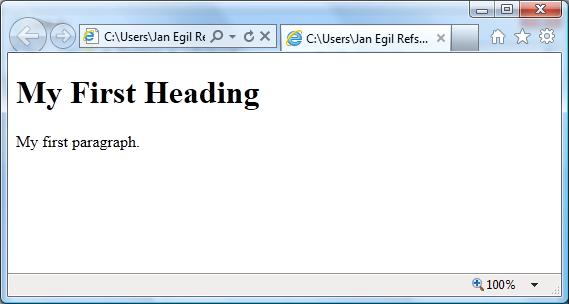
HTML Example
<!DOCTYPE html>
<html>
<body>
<h1>My First Heading</h1>
<p>My first paragraph.</p>
</body>
</html>
Example Explained
The DOCTYPE declaration defines the document type
The text between <html> and </html> describes the web page
The text between <body> and </body> is the visible page content
The text between <h1> and </h1> is displayed as a heading
The text between <p> and </p> is displayed as a paragraph
Next

Tidak ada komentar:
Posting Komentar